Terraform : Remote backend using S3 and DynamoDB
Search for a command to run...
No comments yet. Be the first to comment.
Welcome to my blog series on Terraform-built AWS projects! I'll provide walkthroughs of AWS projects, guiding you through deployment and setup with Terraform's infrastructure-as-code.
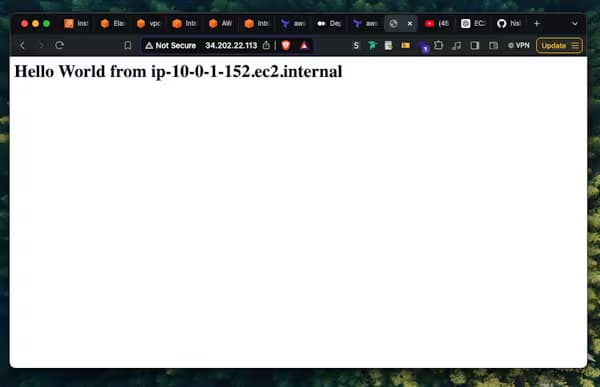
In this project, we are going to setup the following using Terraform, VPC Public subnet Internet gateway Route table Security group EC2 instance Elastic IP The complete terraform code for this project is available on github The project folde...
Ansible is an open-source, robust automation tool that makes job automation, application deployment, and configuration management easier. To assist you in automating your infrastructure, we'll go over the fundamentals of setting up Ansible and lead y...
In this project, we are going to setup the following using Terraform, VPC Public subnet Internet gateway Route table Security group EC2 instance Elastic IP The complete terraform code for this project is available on github The project folde...
In this guide we will configure Terraform to use a remote backend on S3 and DynamoDB. We will use S3 to store the .tfstate file rather than storing locally. DynamoDB here is used to create a locking mechanism.
Create an S3 bucket to store the tfstate file.
resource "aws_s3_bucket" "terraform_state" {
  bucket = "demo-tf-state"

  lifecycle {
    prevent_destroy = true
  }
}
Enable versioning for the bucket.
resource "aws_s3_bucket_versioning" "version_tf_bucket" {
  bucket = aws_s3_bucket.terraform_state.id
  versioning_configuration {
    status = "Enabled"
  }
}
Create KMS keys to encrypt the bucket
resource "aws_kms_key" "mykey" {
  description             = "This key is used to encrypt bucket objects"
  deletion_window_in_days = 10
}
Enable bucket encryption using KMS key.
resource "aws_s3_bucket_server_side_encryption_configuration" "example" {
  bucket = aws_s3_bucket.terraform_state.id

  rule {
    apply_server_side_encryption_by_default {
      kms_master_key_id = aws_kms_key.mykey.arn
      sse_algorithm     = "aws:kms"
    }
  }
}
Create DynamoDB table to enable locking mechanism.
resource "aws_dynamodb_table" "tf-state-locking" {
  name         = "tf-state-locking"
  billing_mode = "PAY_PER_REQUEST"
  hash_key     = "LockID"

  attribute {
    name = "LockID"
    type = "S"
  }
}
Apply the code using the command terraform apply . The resources are now created on AWS. Now, configure your terraform to use the remote backend.
Add the below code inside terraform {}
backend "s3" {
    bucket         = "demo-tf-state"
    key            = "global/s3/terraform/tfstate"
    region         = "us-east-1"
    dynamodb_table = "tf-state-locking"
    encrypt        = true
  }
Now initialise terraform so that it changes the backend from local to AWS using the command terraform init enter yes whenever asked.
Your terraform project now uses AWS S3 bucket and DynamoDB as remote backend.
The entire code I wrote for this guide is as follow,
terraform {
  required_providers {
    aws = {
      source  = "hashicorp/aws"
      version = "~> 5.0"
    }
  }
  required_version = ">=1.9.1"

  # Configure s3 as backend
  backend "s3" {
    bucket         = "demo-tf-state"
    key            = "global/s3/terraform/tfstate"
    region         = "us-east-1"
    dynamodb_table = "tf-state-locking"
    encrypt        = true
  }
}

# Configure the AWS Provider
provider "aws" {
  region = "us-east-1"
}

# Create s3 bucket to store tfstate file
resource "aws_s3_bucket" "terraform_state" {
  bucket = "demo-tf-state"

  lifecycle {
    prevent_destroy = true
  }
}

# enable bucket version
resource "aws_s3_bucket_versioning" "version_tf_bucket" {
  bucket = aws_s3_bucket.terraform_state.id
  versioning_configuration {
    status = "Enabled"
  }
}

# create kms key for s3 bucket
resource "aws_kms_key" "mykey" {
  description             = "This key is used to encrypt bucket objects"
  deletion_window_in_days = 10
}

# enable bucket encryption
resource "aws_s3_bucket_server_side_encryption_configuration" "example" {
  bucket = aws_s3_bucket.terraform_state.id

  rule {
    apply_server_side_encryption_by_default {
      kms_master_key_id = aws_kms_key.mykey.arn
      sse_algorithm     = "aws:kms"
    }
  }
}

# create dynamodb table for locking mechanism
resource "aws_dynamodb_table" "tf-state-locking" {
  name         = "tf-state-locking"
  billing_mode = "PAY_PER_REQUEST"
  hash_key     = "LockID"

  attribute {
    name = "LockID"
    type = "S"
  }
}